In this article
Key takeaways
- The answer is almost always both. Migrate a defined set of active, coded data into the new EHR, and keep the complete legacy record in a read-only archive clinicians can open in context.
- Decide by data type and lookback period, not by system. Allergies and active medications move; twenty years of scanned notes usually do not.
- HIPAA does not set how long to keep the medical record. State law, Medicare and payer rules do, and in the UAE the minimum is 25 years from the last procedure.
- The savings come from switching the legacy system off. An archive that never leads to decommissioning just adds a third system.
- Validation is clinical work, not just a data check. Plan clinician review of high-risk data and monitoring after go-live, when gaps tend to surface.
EHR data migration vs archiving: migrate, archive, or both?
Migrate the data clinicians need to treat patients safely in the new EHR: active problems, medications, allergies, immunizations, open orders and a limited lookback of results and key documents. Archive the complete legacy record in a read-only clinical archive for retention, legal and release-of-information needs. Then retire the legacy system. For most hospitals and practices, “both” is the right answer, with the line between them drawn per data type.
Migrate
Convert legacy data into the new EHR’s structures, mapped to its codes, providers and locations, so it drives alerts, decision support and workflows.
Usable, but expensive per data typeRetain in an archive
Copy the full record, documents and audit trails into a read-only repository, launched from the new EHR in patient context, with retention and release-of-information tools.
Complete, but view-onlyRetire
Switch off the legacy application, its servers, licences and support contracts once data is safely migrated or archived and accounts receivable is run down.
Where the savings areThe two common mistakes sit at either extreme. Migrating everything turns a go-live into a multi-year data conversion and fills the new chart with poorly mapped history. Migrating nothing and leaving the old system running “read-only” means paying for two systems indefinitely while the old one ages out of security support. If the new platform is being built rather than bought, our EHR and EMR development team plans the conversion alongside the build.
Why the migrate-or-archive decision matters more in 2026
EHR replacements are increasingly driven by consolidation. Health systems that acquire hospitals and practices standardize them onto one platform, and every acquisition brings a legacy EHR with years of records that must stay accessible. KLAS’s 2026 market share report shows how one-directional that movement has become.
of US acute care hospitals on Epic at the end of 2025, up from 42.3% a year earlier
KLAS, EHR Market Share 2026gained by Epic in 2025, while Oracle Health had a net loss of 56. Each switch leaves a legacy system behind
KLAS, EHR Market Share 2026minimum retention for health data in the UAE, counted from the last health procedure
UAE Federal Law No. 2 of 2019, Art. 20The rules have also moved in the buyer’s favour. Since December 31, 2023, certified US EHRs must offer EHI export, which exports all of a patient’s, or a whole population’s, electronic health information in a computable format. Under the information blocking rules, the fees exception does not protect a charge for that export when you are switching health IT. The proposed HTI-5 rule would remove 34 of the 60 certification criteria now in effect, but it keeps EHI export. As of October 2026 it is still a proposal.
What leaving a legacy system running costsYale New Haven Health reported legacy application costs falling from about $2.98 million a year to about $326,000 after archiving and decommissioning, a saving of more than $2.6 million a year. That is one large system consolidating many applications, so your numbers will differ, but it shows where the money is. KLAS’s 2026 data archiving research found that archiving ROI is most consistently realized through decommissioning legacy systems.
What to migrate to the new EHR, and what to archive, by data type
This is a common starting position, not a rule. Specialty, patient population, the new EHR’s import capabilities and your clinicians’ actual use should move the lines. Filter by outcome to see each group.
Load first and match against the new master patient index. Every other data type depends on correct identity, so resolve duplicates before anything clinical moves.
Migrate as coded, active entries and have clinicians verify them at the first encounter. Free-text allergies need review before they can drive alerts.
Migrate active problems with mapped codes. Resolved problems from years ago can stay in the archive unless they are clinically relevant.
Migrate the current medication list for reconciliation at first visit; keep the dispensing and administration history in the archive.
Migrate the full history. It stays clinically relevant for decades and feeds registry reporting.
Migrate a limited lookback of trendable results (often two to three years) as discrete data; archive the full history.
Migrate or re-enter everything still open at go-live, so no referral, result or appointment falls between systems.
Archive all notes. Migrate a short list of high-value documents, such as recent discharge summaries, care plans and advance directives, as attached documents.
Keep in the archive, indexed by patient and document type. OCR improves search; it does not justify migration.
Images normally stay in PACS or a vendor-neutral archive; link reports rather than moving studies.
Archive in full; migrate at most a summary list if the new EHR supports historical encounters.
Run down open receivables in the legacy system or an archive with A/R features, then archive the history for audit.
Archive with the record. Disclosures and legal matters can require them years later, and Dubai’s EMR transition guideline requires it.
Decommission once data is migrated or archived, validated and signed off, and receivables are closed.
Scoping active vs historical data: how far back to migrate
The lookback period is the most debated number in an EHR conversion. Clinicians often ask for “everything”, then use very little of it. The published evidence is thin, but consistent:
A children’s hospital moving EHRs
Lucile Packard Children’s Hospital migrated 10 data categories for more than 300,000 patients. Notes and measurements went back to 2004, while other data types used a 2.5-year lookback. About 6,000 notes outside the defined scope were found only after go-live.
“No two sites” do it the same way
A review of data migration in EHR transitions found very little empirical literature, varied approaches across sites, and consequences across nine domains, from patient safety to cost.
Little value beyond three years
A study comparing three-year, ten-year and lifetime lookbacks for lab results found clinicians saw little benefit from history older than three years.
About two years, plus an archive
Archive vendors report that most providers migrate around two years of key clinical data and archive the rest. Treat this as practice, not a standard.
The visibility trapIn the JAMIA case, only data native to the new EHR was visible to health information exchange partners; legacy data reached through a link was not. If records must flow to an HIE, such as NABIDH in Dubai, Malaffi in Abu Dhabi or a US network, check what will be exchanged before deciding what to leave in the archive.
Medical records retention requirements: how long to keep medical records
Retention rules set the minimum life of the archive, so they shape both its cost and when the legacy data can finally be destroyed. The rule that applies is the longest of every federal, state, payer and contractual requirement that covers the record.
Minimum retention period, in years
| Rule | Minimum retention | Note |
|---|---|---|
| HIPAA45 CFR 164.316(b)(2) | 6 years for HIPAA policies, procedures and required documentation | Not a medical record rule. HHS says state laws generally govern record retention; HIPAA safeguards apply for as long as PHI is kept. |
| Medicare hospital Conditions of Participation42 CFR 482.24(b)(1) | At least 5 years | Original or legally reproduced form. |
| CMS ordering and referring documentation42 CFR 424.516(f) | 7 years from date of service | Repeated in CMS’s January 2026 medical record maintenance fact sheet. |
| Medicare Advantage and Part D42 CFR 422.504(d), 423.505(d) | 10 years | Plan books and records; relevant to providers through contracts. |
| Mammography (MQSA)21 CFR 900.12(c)(4) | At least 5 years; 10 if no further mammograms are done at the facility | Or longer if state law requires. |
| Texas hospitalsHealth & Safety Code §241.103 | 10 years after last treatment | Minors: until age 20 or 10 years, whichever is later. |
| California hospitals22 CCR §70751(c) | 7 years after discharge | Minors: at least one year after age 18, and never less than 7 years. |
| New York hospitals10 NYCRR 405.10 | 6 years from discharge | Or 3 years after age 18, whichever is longer; 6 years after death. |
| Florida physiciansFAC 64B8-10.002 | 5 years from last patient contact | Hospital rules differ. |
| UAEFederal Law No. 2 of 2019, Art. 20 | At least 25 years from the last health procedure | Longer if needed. See the UAE section below. |
Two practical consequences follow. First, an archive for a US hospital serving children may need to keep some records for more than twenty years, because minors’ clocks start late. Second, a UAE archive is a 25-year commitment from the last procedure, so its format, viewer and storage must outlive several technology generations. Choose an archive that stores data in open, documented formats you could move again.
EHR data migration cost: what actually drives it
Most of the cost is not moving bytes. It is mapping, checking and getting clinicians to trust the result. These are the drivers to size in any estimate:
Data types and lookback
Each migrated data type needs its own extraction, mapping, load and validation. Ten data types with two years of history is a very different project from three data types with full history.
Mapping and terminology
Local codes to the new EHR’s dictionaries, plus providers, locations, order catalogues and document types. Unmapped items need clinical decisions, not just technical ones.
Data quality and identity
Duplicate patients, merged records and inconsistent demographics multiply effort. Clean up identity before migrating anything clinical.
Validation and clinician time
Side-by-side chart checks and clinical review of high-risk data take scarce clinician hours, and need scheduling well before go-live.
Legacy vendor cooperation
Access to the database, documentation of the schema and any extraction fees. Check your contract and the information blocking fee rules early.
Archive and run-down
Archive licence, hosting and integration with the new EHR, against the legacy licence, hosting and support you stop paying. Include the period while accounts receivable runs down.
EHR data extraction realities with legacy and proprietary systems
Getting data out is where many timelines slip. Each of these is common enough to plan for from the start.
Proprietary or undocumented databases
Older EHRs often store data in proprietary databases or schemas that only the vendor understands, with business meaning hidden in codes and flags.
Ask for schema documentation and a data dictionary in the contract exit terms. Use the certified EHI export where available, and validate it against the screens clinicians use.
Extraction fees and slow vendor responses
The outgoing vendor has little incentive to help, and may quote high fees or long lead times for extracts.
Know the rules: the information blocking fees exception does not cover EHI export for switching health IT, or export fees not agreed in writing at purchase. Raise it early and in writing.
Reports instead of data
Some teams extract via printed or PDF reports because it is quick. Context is lost: who recorded it, when, and what it was linked to.
Extract discrete data with its metadata for anything you migrate, and full documents with indexes for the archive.
Duplicate and merged patients
Legacy systems carry duplicate records and merges, and acquired practices bring their own identifiers.
Run patient matching against the new master patient index before migration, send uncertain matches to a data steward, and carry merge history into the archive.
Codes that do not map
Local lab codes, custom problem lists and free-text allergies do not map cleanly to the new system’s terminology.
Map to standard terminologies such as LOINC, SNOMED CT and RxNorm where possible, and route unmapped items to clinical review instead of guessing.
Scanned documents with poor indexing
Years of scans are filed under generic types or the wrong patient, so they cannot be found once moved.
Re-index in bulk, using OCR to classify documents, before loading them into the archive. Our digitization work indexed more than 10,000 records in three months.
Hidden data in other systems
Departmental systems, spreadsheets and interface engines hold data the EHR never saw, and nobody owns it.
Include them in the inventory. Decide per source whether it is part of the legal record, and archive it if it is.
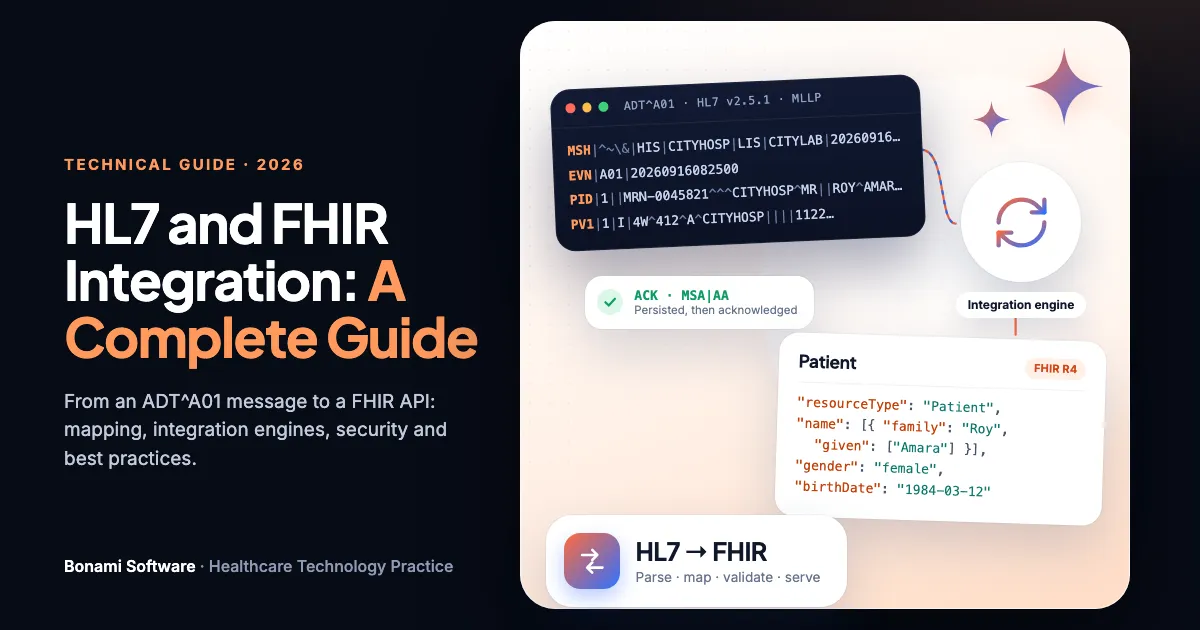
FHIR and HL7 interfaces help here too. A new EHR often loads migrated data through the same interfaces it uses for live feeds, and an archive can expose legacy records as FHIR resources. Our HL7 and FHIR integration guide covers how those pieces fit together.
Validation and clinician sign-off
An EHR conversion is checked twice: once by the data team, who prove the numbers match, and once by clinicians, who prove the chart is safe to use. Both are needed before go-live.
Counts per data type and patient
Records extracted, transformed, loaded and rejected, reconciled for every data type, with every rejection explained.
Side-by-side chart comparison
A defined sample of patients, weighted toward complex and high-risk cases, compared screen by screen between the legacy and new systems.
Clinical review of high-risk data
Allergies, active medications, problems and immunizations reviewed by clinicians, with clear rules for what is verified at the first visit.
Identity and duplicate checks
No patient split across two records, none merged with the wrong person, and legacy identifiers searchable in the new EHR and the archive.
Archive launch and search tests
Clinicians can open the archive from the new EHR in patient context and find documents by type and date.
Post go-live monitoring
A route for clinicians to report missing data, and a team to fix it quickly. Gaps often surface only when real patients arrive.
What a good clinical data archive must do
Archives vary widely. Whether you buy one or build one, these are the capabilities to require. KLAS’s 2026 data archiving research covered vendors including Access, CITI, Clearsense, Harmony Healthcare IT, InterScripts, Keena, MediQuant and Olah. It found most organizations use archives mainly for compliance, with workflow and care continuity (42%), analytics (36%) and financial uses (33%) behind.
In-context launch
Single sign-on from the new EHR that opens the right patient’s legacy record, so clinicians do not search a second system.
Release of information
Workflows to find, assemble and disclose records for patients, lawyers and payers, with disclosures logged.
Retention and legal hold
Per-record retention schedules that follow the longest applicable rule, legal holds that override them, and defensible destruction.
Audit trails preserved
The legacy audit trail archived with the data, and every archive access logged in its own right.
Accounts receivable run-down
The ability to work remaining legacy balances, so the old billing system can be switched off sooner.
Open, portable formats
Data stored in documented, vendor-neutral formats, with an exit path. A 25-year archive will outlive its first vendor contract.
An archive is not an analytics platformKLAS found that 60% of archive customers have no interest in using archive data for AI or research, and that true enterprise analytics value cannot be delivered by the archive alone. If historical data matters for population health or research, feed it into a governed data platform as a separate decision. Our data platform comparison covers the options.
EMR transition in the UAE and GCC: 25-year retention and data localisation
Gulf healthcare providers face stricter rules than most US guidance assumes. In the UAE, three layers apply to a migration or archive:
Retention and localisation
Article 20 requires health data to be kept for at least 25 years from the last health procedure. Article 13 says health data may not be stored, processed or transferred outside the UAE unless the health authority or Minister approves, with exemptions set by Ministerial Resolution No. 51 of 2021.
Guideline for EMR transition
The new EMR’s data must be stored in the UAE with DESC-approved providers; legacy records must remain visible and accessible; audit trails and metadata are archived; records are never destroyed before the retention period; NABIDH must be told at least one month before the change and at legacy closure.
Malaffi and ADHICS
Malaffi participation is required for DOH-licensed facilities, with a minimum data set from source EMRs, and the ADHICS security standard applies to the systems that hold health data, including archives.
What this means for your archiveA UAE archive should be hosted in the UAE, designed for at least 25 years, and connected to NABIDH or Malaffi obligations from the start. A cloud archive in another region, which is common for US vendors, needs an approved exemption, and a copy may still need to stay in the country. In Saudi Arabia, the Personal Data Protection Law has been fully enforced since September 2024, and health data exchanged through the national HIE is retained indefinitely. Check NPHIES and Ministry of Health obligations for any KSA migration. Related: NABIDH compliance, Malaffi integration and PDPL compliance.
Migrate or archive? A decision tree for each data type
Run each data type through these questions. The answers become your migration scope document.
Per data type
Will clinicians need this data to treat patients safely in the new EHR?
For example, for alerts, reconciliation, ordering or the next visit.
Can it be mapped to the new EHR’s codes and structures with reasonable effort?
Coded data with a clean mapping is a good candidate. Free text and local codes are not.
Is it part of the legal record, or still within a retention period?
Check the longest applicable federal, state, payer, UAE or contractual rule.
Migrate as discrete data, and archive the source
Migrate within an agreed lookback period, validate with clinicians, and keep the full history in the archive so nothing is lost if the lookback proves too short.
Migrate as documents, or re-abstract key items
Bring across a summary document, or have clinicians abstract the few facts that matter at the first visit. Archive the original in full.
Archive it, read-only and in context
Keep it in the archive with its audit trail, viewable from the new EHR and available for release of information, under a retention schedule that follows the longest rule.
Candidate for defensible destruction
With records, legal and compliance sign-off, and no legal hold, data past retention can be destroyed under a documented policy. Most organizations still archive first and destroy on schedule.
EHR migration and archiving checklist
Tick items as you confirm them (progress is saved in this browser only), or print it for your steering group.
EHR data migration and archiving checklist · Bonami Software · bonamisoftware.com/blog-ehr-data-migration-vs-archiving
Scope and rules
Extraction and mapping
Validation and go-live
Archive and retire
How Bonami helps with EHR data migration and archiving
Our healthcare team works on both sides of an EHR transition: getting data out of legacy systems and into the new one, and building or integrating the archive that keeps the rest accessible. We start with a legacy EHR data assessment that inventories sources, maps retention rules and produces a per-data-type scope your clinicians and compliance team can sign.
Legacy EHR data assessment
Source inventory, data profiling, retention mapping for US and UAE rules, and a migrate-archive-retire scope by data type.
Extraction, mapping and migration
Extraction from proprietary systems or EHI export, terminology mapping, identity matching, HL7 and FHIR loads, and validation.
Archive and decommissioning
In-country archives with in-context launch, release of information and retention controls, then a managed shutdown of the legacy system.
Frequently asked questions about EHR data migration and archiving
What is the difference between EHR data migration and archiving?
EHR data migration moves data from a legacy system into the new EHR as structured, usable data that clinicians work with every day, such as active problems, medications, allergies and recent results. Archiving moves the full legacy record into a separate read-only repository, kept for retention, legal and release-of-information purposes and viewable from the new EHR when needed. Most organizations do both: migrate a defined subset and archive everything.
How much data should you migrate to a new EHR?
Usually much less than people first ask for. Common practice is to migrate active clinical data, such as problems, current medications, allergies, immunizations, open orders and future appointments, plus a limited lookback of results and key documents, often two to three years, and archive the rest. Base the lookback on what clinicians actually use; one published study found little benefit from lab history beyond three years.
How long do hospitals have to keep medical records?
It depends on the jurisdiction and record type, and the longest applicable rule wins. Medicare’s hospital Conditions of Participation require at least five years, while state laws are often longer, such as ten years after last treatment for Texas hospitals and seven years after discharge for California hospitals, with longer periods for minors. In the UAE, Federal Law No. 2 of 2019 requires at least 25 years from the last health procedure.
Does HIPAA say how long to keep medical records?
No. HIPAA requires covered entities to keep their HIPAA policies, procedures and related documentation for six years, but it does not set a retention period for the medical record itself. State law and payer rules such as Medicare do. HIPAA’s privacy and security safeguards apply for as long as the records are kept, including when they are destroyed.
What is an EHR data archive?
A clinical or legacy data archive is a read-only repository that holds the complete record from retired systems. A good one lets clinicians open a patient’s legacy history from inside the new EHR in context, supports release-of-information requests, applies retention and destruction schedules, preserves audit trails and can run down legacy accounts receivable.
How much does EHR data migration cost?
Cost is driven by the number of data types migrated, the lookback period, code and provider mapping, data quality, validation and clinician review time, and how cooperative the legacy vendor is with extraction. Archiving adds an archive licence and hosting, but usually lets you switch off the legacy system, and published examples show legacy licence and hosting savings can be large.
Can a legacy EHR vendor charge to export our data?
Under the US information blocking rules, the fees exception does not protect a fee to perform an electronic health information export through the certified EHI export function for the purpose of switching health IT, or a fee to export or convert data that was not agreed in writing when the technology was acquired. Review your contract and these rules before accepting extraction fees.
What is EHI export?
EHI export is an ONC certification criterion, 45 CFR 170.315(b)(10), that requires certified EHRs to export all of a single patient’s electronic health information, and all patients’ information for a whole population, in a computable format with published documentation. Developers had to provide it to customers by December 31, 2023. It is a useful starting point for migration and archiving, though not a complete migration on its own.
Should we keep the old EHR running instead of archiving?
Keeping a legacy EHR running in read-only mode is the simplest option for a short period, but it keeps licence, hosting, security patching and support costs, and the risk grows as the software ages. For long retention periods an archive is usually cheaper and safer. KLAS reports that archiving ROI is most consistently realized through decommissioning legacy systems.
What are UAE requirements when replacing an EMR?
UAE Federal Law No. 2 of 2019 requires health data to be kept for at least 25 years from the last procedure and generally bars storing or processing it outside the UAE without approval. In Dubai, the DHA guideline for EMR transition also requires the new EMR’s data to be stored in the UAE, legacy records to remain visible and accessible, archived audit trails, and notice to NABIDH at least one month before the change.
Is it better to migrate or archive scanned documents?
Usually archive them and make them viewable in context. Scanned documents are large, rarely structured and seldom needed day to day. Migrate only specific documents clinicians need in the new chart, such as recent discharge summaries or advance directives, and index or OCR the rest so they can be found in the archive.
How do you validate an EHR data migration?
Reconcile counts per data type and patient, compare a statistically meaningful sample of charts side by side in both systems, have clinicians review migrated summaries for high-risk data such as allergies and medications, test patient matching and duplicates, and monitor after go-live for missing data. Published experience shows gaps can surface only after go-live, so plan for that.
The takeaway: move what treats patients, keep what the law needs, switch off the rest
The best EHR conversions draw a clear line. Data that drives safe care today, coded and mappable, goes into the new EHR within a lookback period clinicians have agreed. Everything else stays complete, read-only and one click away in an archive built for the full retention period, which in the UAE is a quarter of a century. Then the legacy system is switched off, because that is where the savings and the security gains are.
Get the scope agreed per data type, clean up identity before anything clinical moves, plan clinician validation, and choose an archive in open formats you could move again. That turns a risky data conversion into a manageable project with an end date.
Replacing an EHR or retiring a legacy system?
Tell us which systems are being replaced, roughly how many patients and years of data they hold, and where you operate. We will outline what a legacy EHR data assessment would cover and the decisions it would settle.
Sources
- eCFR: 45 CFR 164.316 (HIPAA documentation retention)
- HHS FAQ 580: HIPAA and medical record retention
- eCFR: 42 CFR 482.24 (hospital medical records) · 42 CFR 422.504 · 42 CFR 424.516
- CMS: Medical record maintenance and access requirements (January 2026)
- Texas Health & Safety Code §241.103 · 22 CCR §70751 · 10 NYCRR 405.10 · FAC 64B8-10.002
- ASTP/ONC: Getting ready for EHI export · 45 CFR 171.302 (fees exception)
- Federal Register: HTI-5 proposed rule (December 2025)
- Pageler et al., JAMIA 2016: data migration in an EHR transition · Schreiber and Garber, ACI Open 2020, doi:10.1055/s-0040-1710007
- KLAS US acute care EHR market share 2026 (via HIT Consultant) · KLAS data archiving 2026 (via HIT Consultant)
- Dubai Health Authority: Guideline for EMR transition in healthcare facilities (2024)
- UAE Federal Law No. 2 of 2019 on the use of ICT in health fields, Articles 13 and 20, as summarized by Latham & Watkins (June 2019) and Simmons & Simmons (November 2019); Ministerial Resolution No. 51 of 2021
- Department of Health Abu Dhabi: Health information exchange standards
This article is general guidance, not legal advice. Retention requirements vary by state, country, record type and contract, and change over time; confirm them with your counsel and records management team. State examples are not a complete list. Cost figures are examples from published reports, not estimates for your organization. Patient data and dates in the illustration are fictitious.